Gravity PDF add-on

One invoice, three e-invoicing formats.

From 2025 a German business may be required to accept structured electronic invoices, and from 2028 to issue them. An invoice that is only a PDF no longer counts. This add-on turns the invoice Gravity PDF already produces into Factur-X / ZUGFeRD, XRechnung and PEPPOL BIS Billing 3.0 — any combination, chosen per feed.


The three formats

Whichever one the recipient needs.

Format How it is delivered Typical recipient
Factur-X / ZUGFeRD EN 16931 CII XML embedded inside the PDF, the document rewritten as PDF/A-3 business customers
XRechnung standalone UBL file next to the PDF German public sector
PEPPOL BIS Billing 3.0 standalone UBL file next to the PDF PEPPOL networks

Check any combination. All three are built from the same assembled invoice, so they can never disagree with each other. Neither XRechnung nor PEPPOL is a PDF hybrid — those are written as their own files, and each gets a download link on the entry detail screen and can be attached to a notification email alongside the PDF.

Profiles for Factur-X: EN 16931 (Comfort), EXTENDED, BASIC and XRechnung 3.0.

Nothing about your form, your template or your workflow has to change. The PDF your customer receives looks exactly as it did before.


Where the numbers come from

The printed invoice and the XML cannot disagree.

Read from the invoice, not from a second place

Gravity PDF’s invoice template already carries an invoice number, a due date and a VAT rate. The plugin reads those and drops its own fields from the screen — so there is no second copy to keep in sync, and nothing to get out of step.

The invoice number honours gfpdf_invoice_number

A counter add-on that renumbers the printed invoice renumbers the XML with it.

The payment means follows the gateway

An order paid through PayPal or Stripe is reported as an online payment service, a card as a bank card, an entry with no gateway falls back to the code you choose. Extendable through one filter.

Correct arithmetic, checked five ways

Line totals, allowances, charges, the VAT breakdown and the grand total are verified against the identities EN 16931 defines — including the awkward one where an untaxed shipping fee needs a second, zero-rated VAT category of its own.

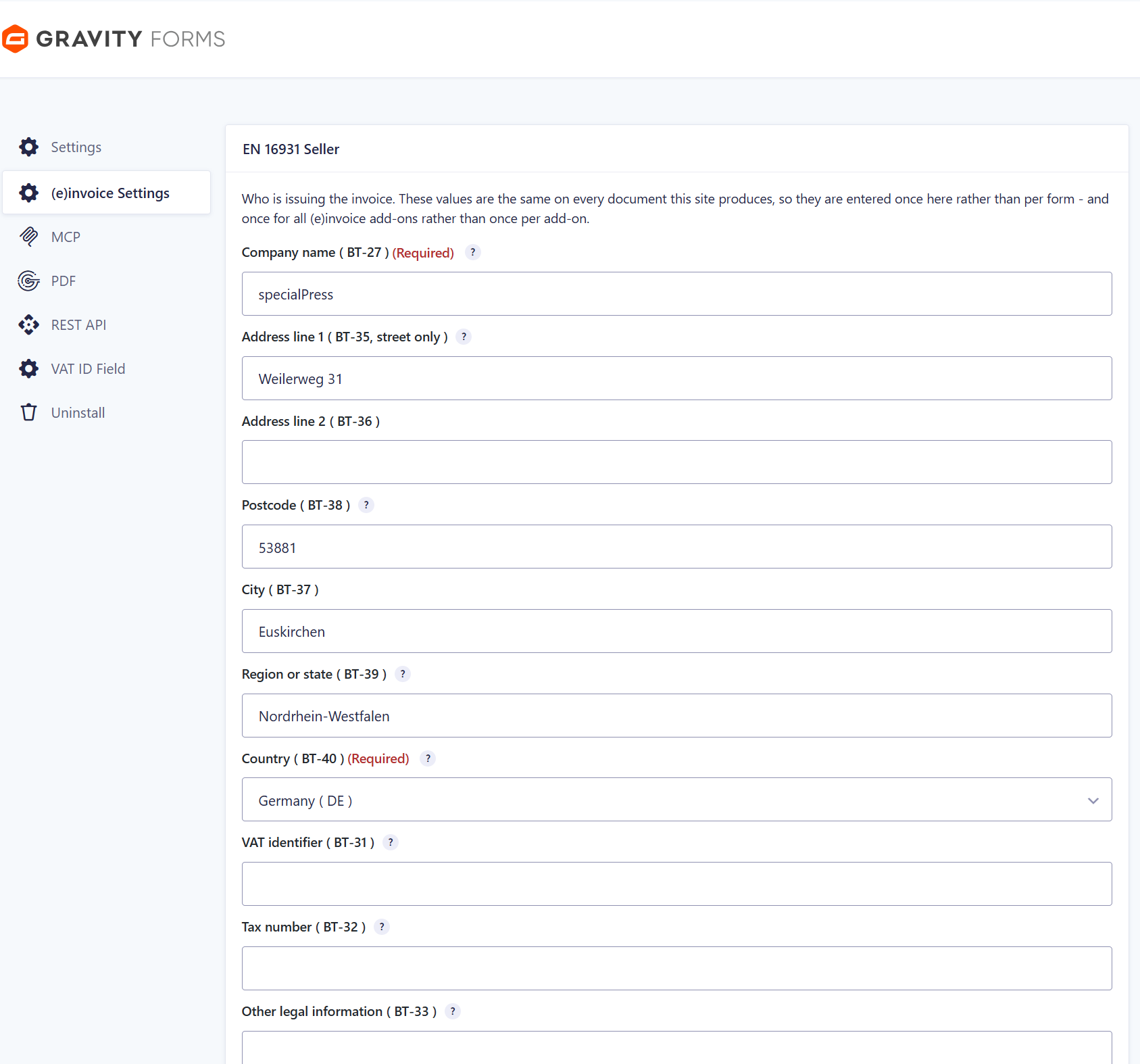
Enter the seller once

Company name, address, VAT identifier, tax number, bank and contact details live on the shared (e)invoice Settings page, not in every feed. The other add-ons of the family read the same values.

Mandatory fields are marked mandatory — and only those

The screen follows EN 16931’s cardinality: a seller name and a country code are required, a street is not, and a field whose value the plugin already knows is never demanded from you. The country list comes from Gravity Forms itself, so the two can never disagree about what „DE“ means.

Built not to break

It never breaks the PDF.

XSD-validated on every build

If the XML does not validate, the plugin leaves your PDF untouched rather than shipping a broken invoice. Every failure path ends with Gravity PDF’s normal output — a rejected invoice is logged, not swallowed, and never replaces your document with an error page.

It works when an entry is corrected

Change a value in the entry editor and fetch the PDF again: the document and the XML are rebuilt from the current entry. Most attachment-based approaches keep serving a stale file.

It tells you what is wrong

A missing library, an incomplete seller block, a form without a PDF — each is reported as a sentence on the feed screen before you configure anything, and written to the Gravity Forms log when it happens at render time.

The interface is available in German, English and French, with the field names taken verbatim from the Factur-X specification rather than translated by hand. No external service, no API key, no outbound connection — everything happens on your server.


Requirements

What has to be in place.

WordPress 6.0 or newer
PHP 8.2 or newer
Gravity Forms 2.5 or newer, with a payment or product field
Gravity PDF 6.0 or newer

Gravity PDF’s invoice template is recommended but not required. The library producing the CII and PDF/A-3 work ships with the plugin, so there is no Composer step to run.


Setup

Four steps, then it is out of your way.

01   Fill in the seller once

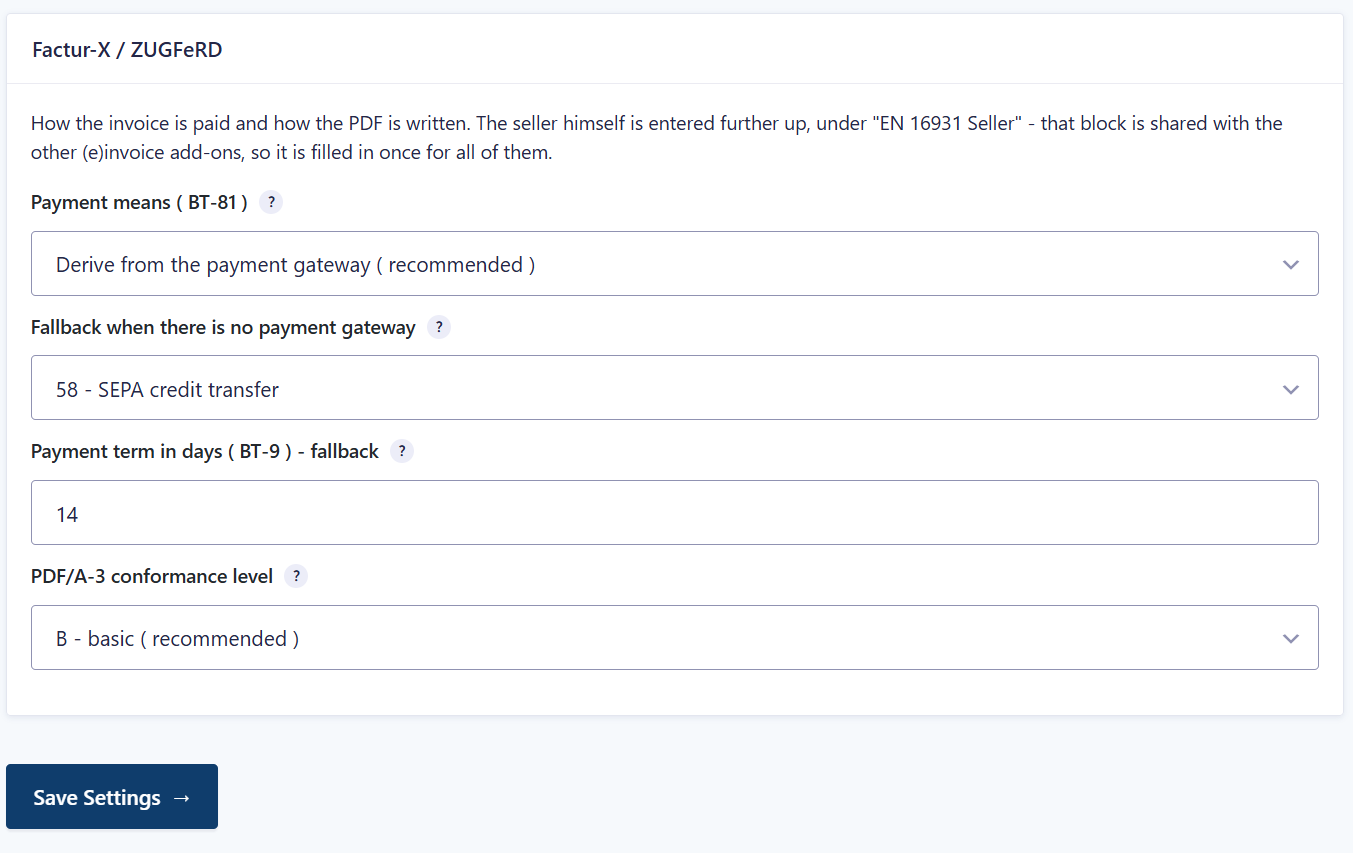
Company name, country and either a VAT identifier or a tax number are the minimum the standard needs. They live on the shared (e)invoice Settings page together with the Factur-X block — payment means, payment term and the PDF/A-3 level.

02   Add a feed and tick the formats

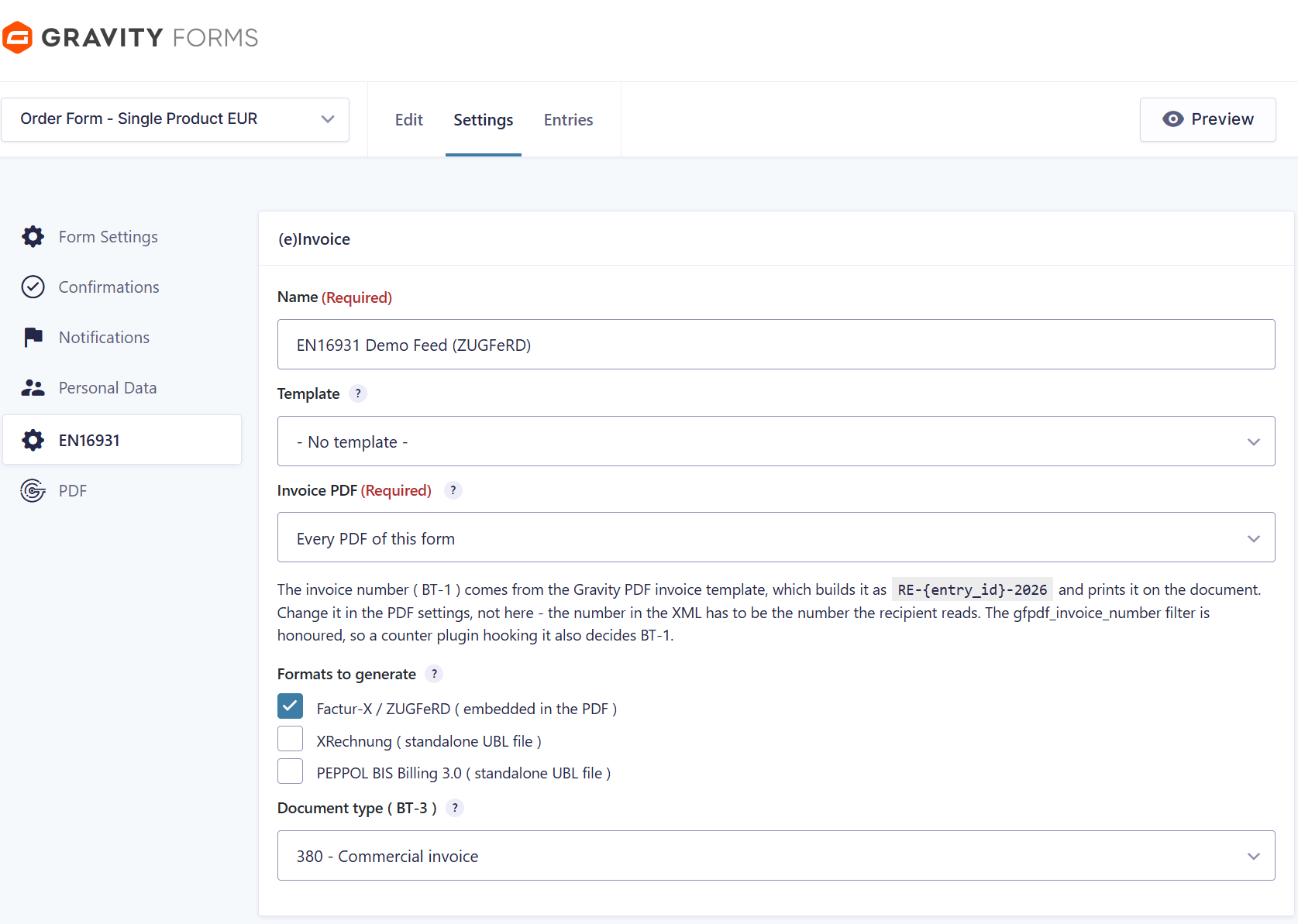
Factur-X / ZUGFeRD embeds the XML in the PDF; XRechnung and PEPPOL BIS 3.0 are written as standalone UBL files next to it. Any combination, chosen per feed — and all of them are built from the same invoice data, so they can never disagree.

03   Map the buyer with merge tags

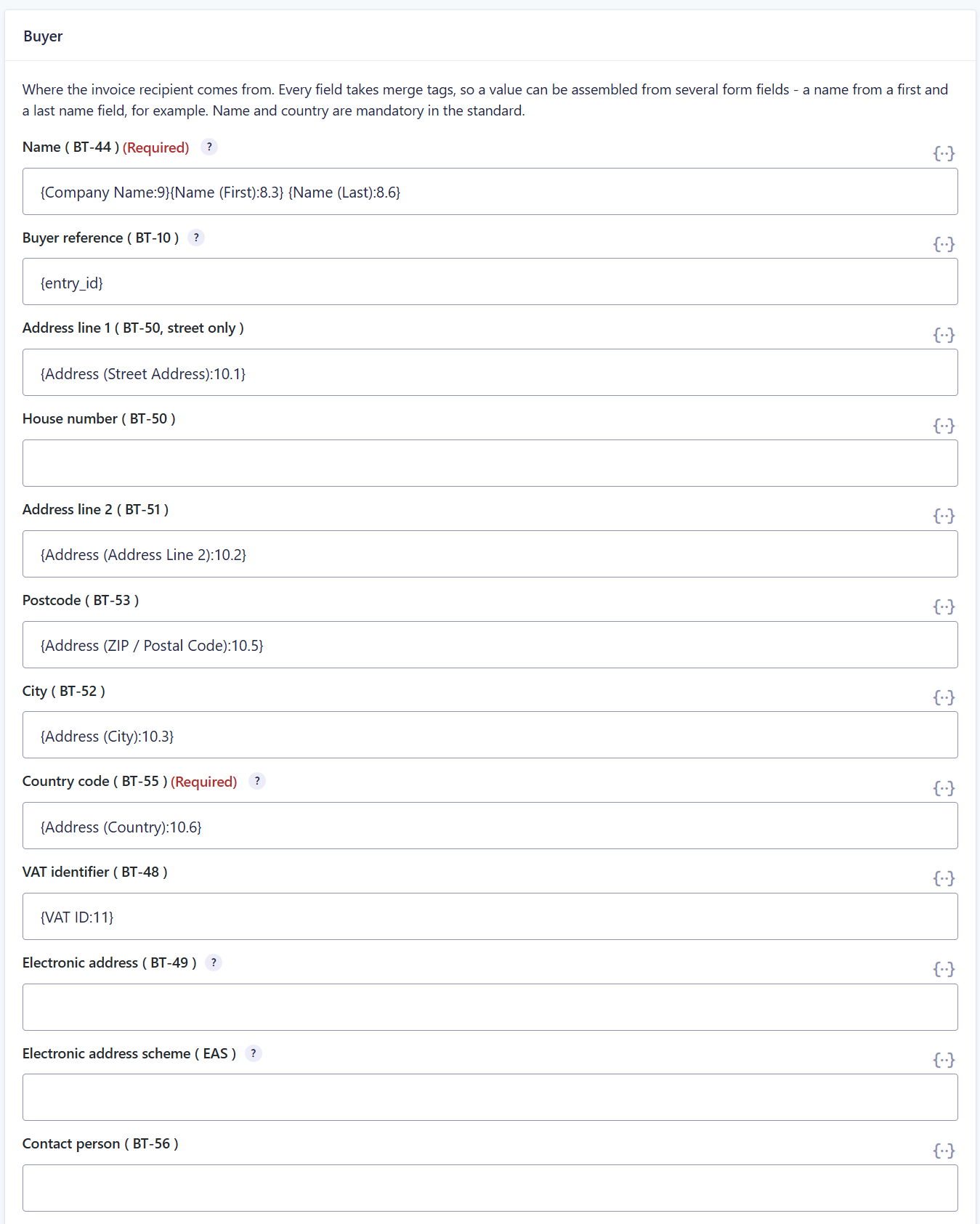
Every buyer field takes merge tags, so a value can be assembled from several form fields — a name from a first and a last name field, for example. Name and country are the two the standard insists on.

04   Validate before you go live

The XML is checked against the XSD, which catches structural errors but not every business rule. Run one generated invoice through a Schematron or KoSIT validator, and through the viewer your recipient actually uses.


EN 16931 Seller — shared with every add-on of the family, filled in once.

Factur-X / ZUGFeRD: payment means, payment term and the PDF/A-3 conformance level.

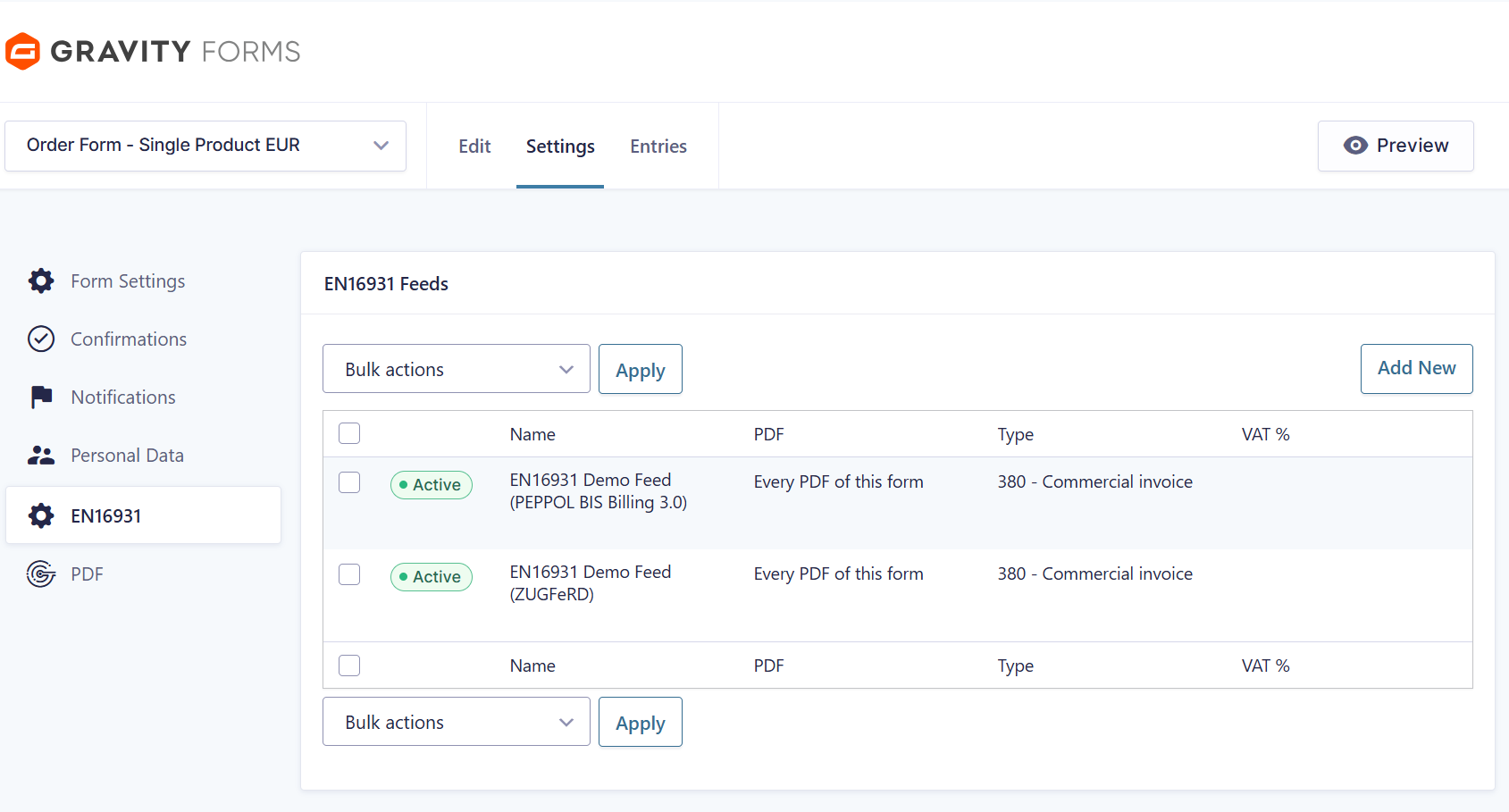
Two feeds on one form — one for ZUGFeRD, one for PEPPOL BIS Billing 3.0.

The feed picks the formats. The invoice number comes from the Gravity PDF template, so the printed number and BT-1 are the same.

The buyer side is mapped with merge tags — assembled from as many form fields as you need.

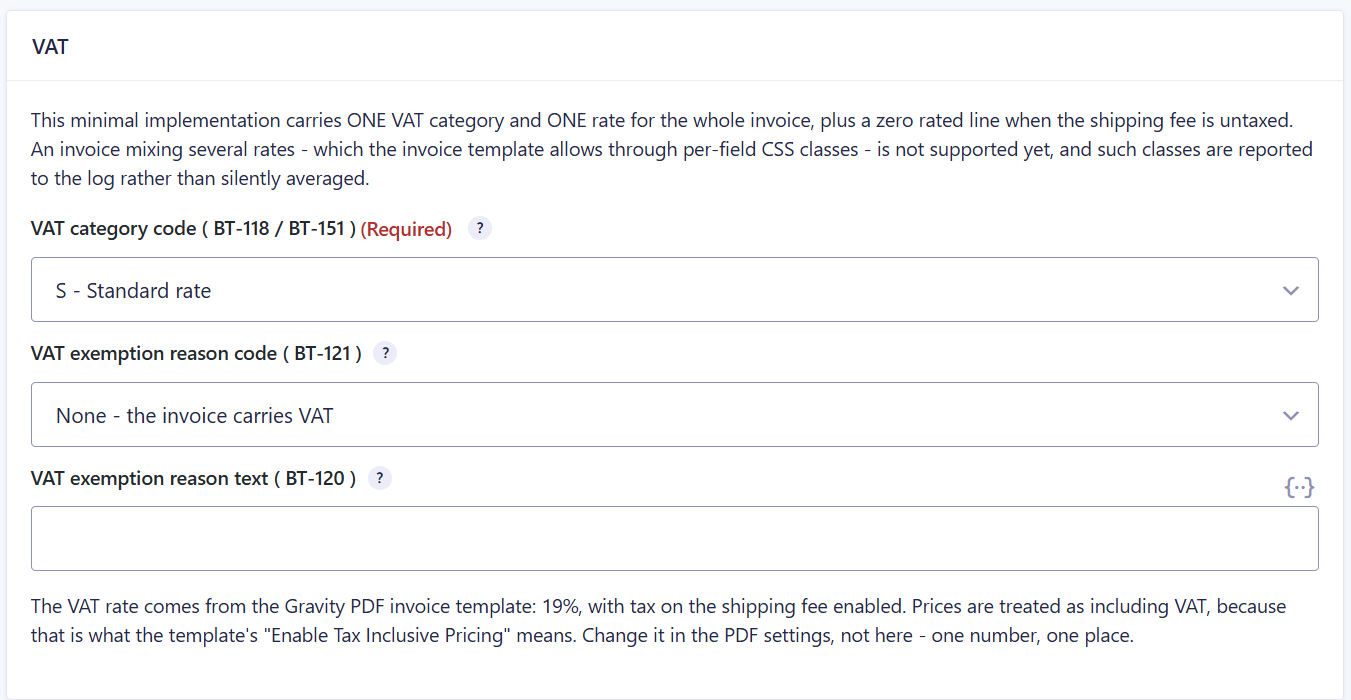
One VAT category and one rate per invoice, plus the zero-rated shipping line.


Which format does your recipient actually want?

It is usually fewer than people assume at the start of a project. Tell us who receives your invoices and it is quickly clear what is ZUGFeRD, what is XRechnung, and what you do not need at all.