
(e)Invoice Validation Explainer for PEPPOL & EN16931

Understanding a validation report

The validator says rejected. This page says why.

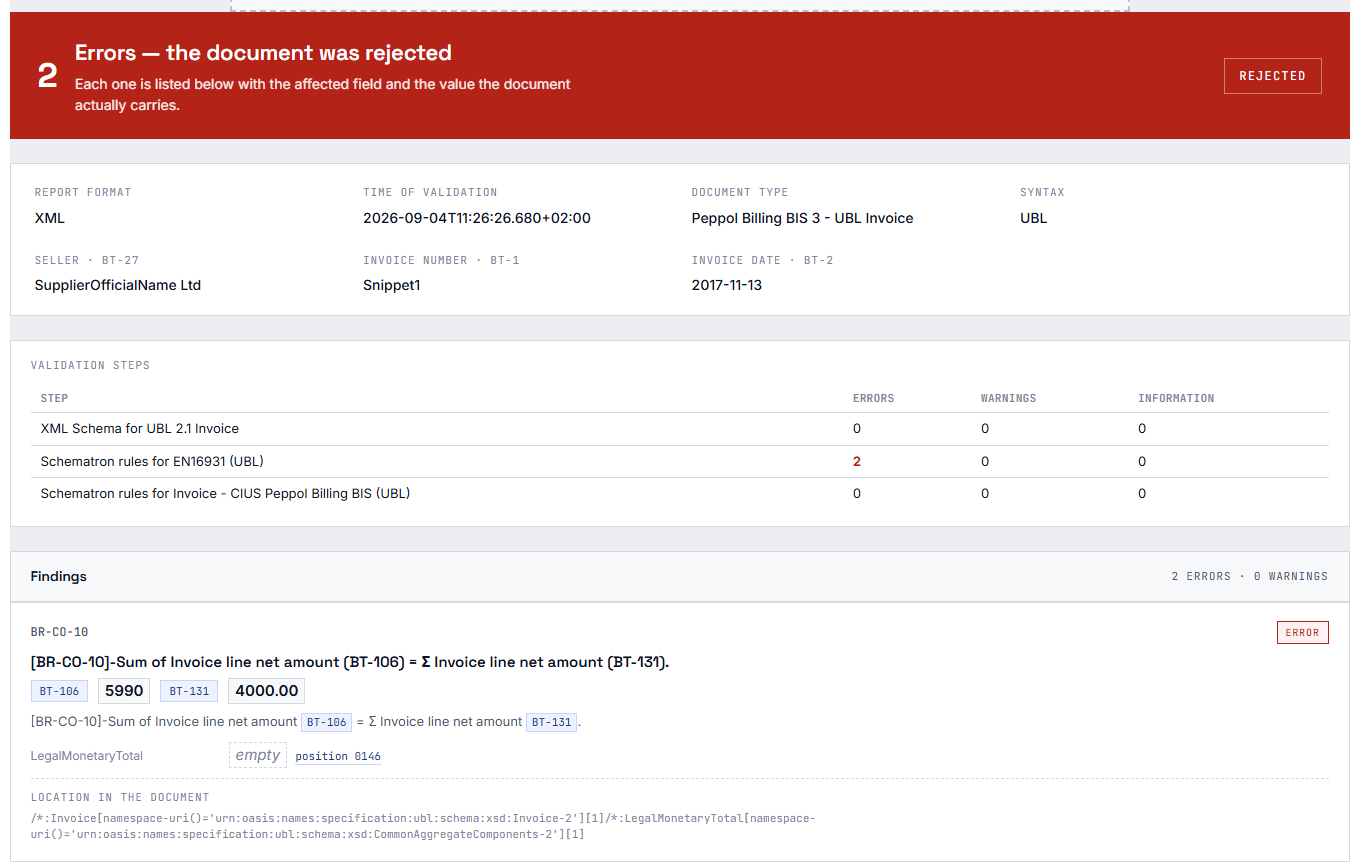
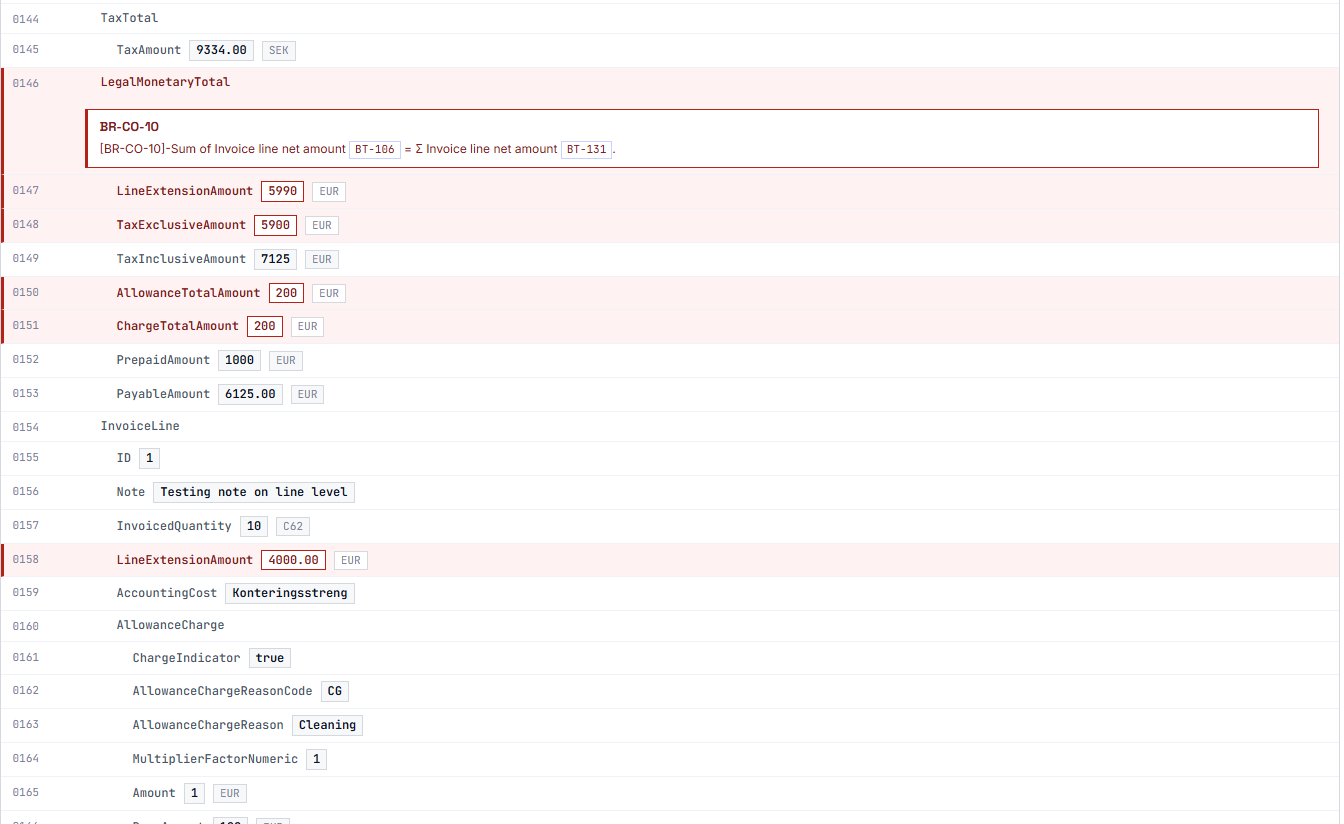
A KoSIT validation report hands you rule identifiers and XPath expressions. The Explainer turns that into something a person can work with: every finding mapped to its EN 16931 business term, the rule violation in plain language, and the actual value the document carries for that field — beside a scrollable view of the document itself.
What you get to see

Four levels, from the verdict down to the single line.

Star-empty Star-empty

The verdict

Accepted or rejected, with the number of errors and warnings — the one thing everybody looks for first.

Note Note

The explanation

Every finding in plain language instead of a rule identifier and a raw assertion text — so „the VAT rate is wrong: 19 %“ rather than „BR-CO-17 failed“.

Search Search

The business term

A finding that concerns a particular field carries its BT or BG code and the value the document actually submitted for it.

Adjust Adjust

The place in the document

One click on a finding jumps to where it sits, in the document view beside it. A search box finds any term without scrolling.

The verdict and the first finding

What goes in

Both report formats, not just the pretty one.

The Explainer reads the native report XML the KoSIT validator produces — every validation step and its findings, the scenario name, the verdict — and it reads the rendered HTML as a fallback, for reports that only exist in that form.

Findings are matched against the rule catalogue by context and test expression, which is what makes it possible to say which business term a finding actually concerns. A KoSIT message on its own names a rule identifier and an XPath, never a business term.

The rule catalogue and the business-term data come from a shared package used by every plugin in the family — so the Viewer and the Explainer never describe the same field differently.

What it deliberately does not do

The Explainer validates nothing itself. There is no validator inside it, no second source of truth, no XML editor. Its one job is to make an existing verdict readable.

That boundary is visible in the interface, not hidden in the small print: it keeps the product honest about what it stands behind and what it does not — and free of liability for a verdict it did not compute.

Privacy

On your server, and only briefly.

A validation report contains names, addresses, bank details and amounts. It is treated accordingly: straight from the upload into memory, without an intermediate file, and no field value ends up in a log. Nothing is written to the media library, the uploads directory or the database, and no call goes out to a third-party service.

On top of that, a daily limit per visitor — logged-in users by user ID, everyone else by hashed IP.

That is deliberately a statement you can put into a data-processing agreement: processed on your own server, not stored, not passed to anyone.

Embedding

One shortcode — and a neighbour that joins in.

One shortcode is enough. Put einvoice_validation_report in square brackets on any page — it takes no attributes. Whether the BT numbers stand beside the findings from the start is a setting; out of the box they do. If you would rather request the report from your own code, there is the REST route POST /wp-json/einvoice/v1/explain alongside the AJAX action.

The Explainer runs on its own — it needs no other plugin of the family. With the KoSIT Validator installed as well, the two complement each other: a report validated there is rendered straight into this layout instead of the raw validator HTML, with the same switches, the same search and the same jump marks.

The full evidence

What is included and what is not

The core rule set is complete.

Included is the complete EN 16931 core rule set, in CII and UBL, plus XRechnung: plain-language explanation, BT / BG mapping, the actual field value right beside it, the document view with a jump to the finding.

That line is deliberately not drawn between the syntaxes, nor between EN 16931 and XRechnung. Whoever reads a validation report did not get to choose which syntax the invoice arrived in, and a large share of real-world reports consists of BR-DE-* findings. Putting either one behind a paywall would make the plugin useless for exactly the people it is meant for.

Requirements: WordPress 6.0+, PHP 7.4+.

Planned, paid

Rules ZUGFeRD EXTENDED coverage — 946 additional BT-X-* field references.

Countries further country rule packages, as soon as the official Schematron for each is available.

Workflow batch processing, CSV and PDF export, history, and a REST endpoint for automation.

Upload a validation report of your own.

The demo runs on the very plugin you would install on your own site. Nothing is stored.

23,80  incl. VAT · instant download after purchase