
Paid extension for the Viewer

Four layouts for the printed invoice.

The Visualizer puts four print-oriented layouts next to the (e)Invoice Viewer’s own screen view: Kontor / DIN 5008, Ledger, Leiste and Business Central. You pick the template in the Viewer’s own settings — no shortcode of its own, no second upload, no change to the Viewer itself.
Real output, not a mockup

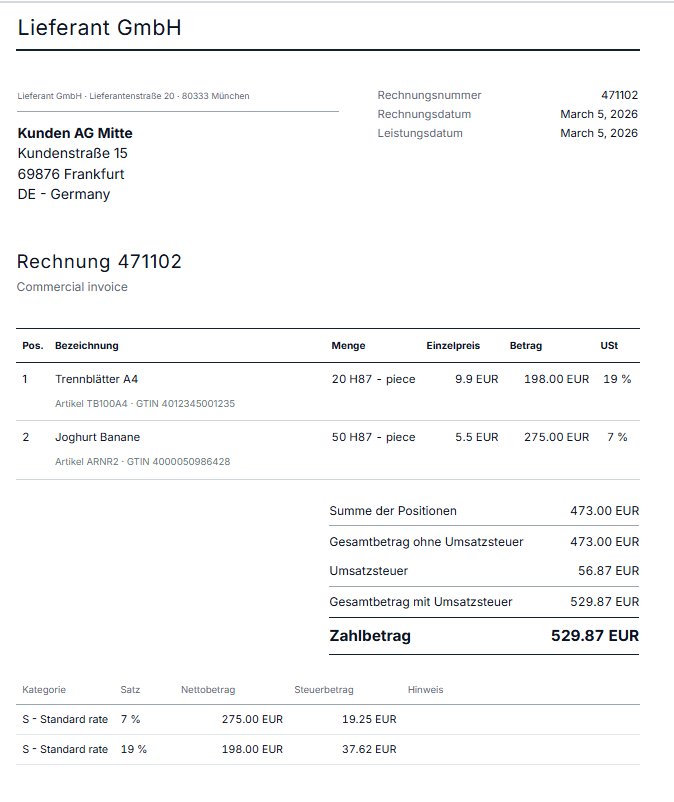
Invoice in the Kontor layout following DIN 5008: letterhead, address block, line-item table and highlighted amount due

Kontor following DIN 5008: German business-letter format, address block at the window position, a single loud line — the amount due.

The four templates

The same data, four points of view.

Note Note

Kontor / DIN 5008

German business-letter format with DIN 5008 folding marks — meant for printing and for the post.

Tools Tools

Ledger / international

International and audit-oriented, with English labels — for recipients and auditors outside the DIN world.

Adjust Adjust

Leiste / info rail

A compact info-rail layout: the dense overview, for when everything essential should fit in one glance.

Brush Brush

Business Central

Modelled on the invoice styling of Microsoft Dynamics 365 Business Central — for visual continuity with that ecosystem.


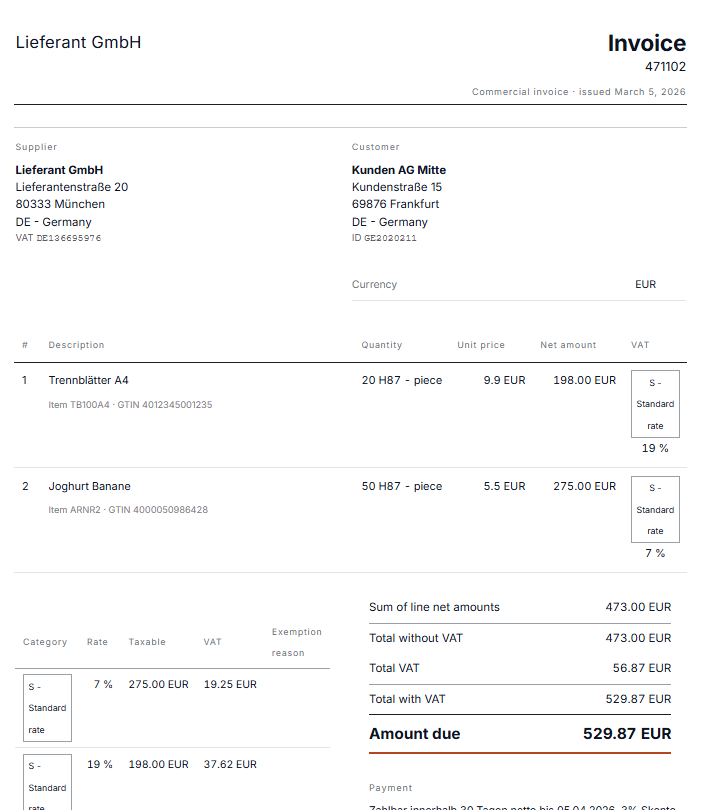
Invoice in the Ledger layout: international presentation with English labels

Ledger: international, English labels, supplier and customer side by side.

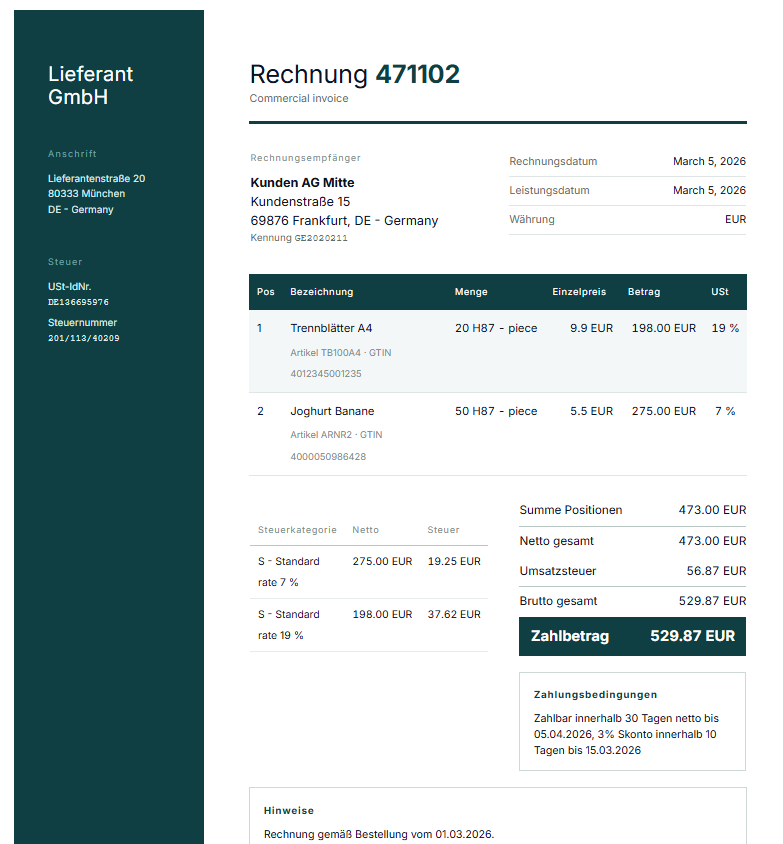
Invoice in the info-bar layout: sender details in a coloured sidebar

Info bar: the sender details in a coloured sidebar, the document alongside.

How it fits in

It registers itself from the outside.

The Visualizer registers its layouts through the action spev_register_templates — an interface the Viewer has provided for exactly this since version 2.10.0. Not a line of the Viewer itself is touched.

The layouts read the invoice model the Viewer has already built, through a slim read-only accessor. Nothing is read a second time, so nothing can diverge from what the free core actually took out of the document.

For PDF output the Visualizer brings its own print library. The free Viewer deliberately keeps that out, because it never walks the PDF-writing path itself — only this add-on genuinely needs it.

Requirements

Requires the (e)Invoice Viewer for PEPPOL & EN16931 from version 2.10.0 — that is where the registration interface first appears.

Selection under Settings → E-Invoice Viewer → Layout template, as soon as the extension is active.

No intervention no shortcode of its own, no second upload, no code change in the Viewer.

Environment WordPress 5.8+, PHP 8.2+.

A decision worth explaining

Each layout speaks the language of its convention.

Kontor and Business Central are always German, Ledger and Leiste always English — regardless of the language the site runs in.

That is not a missing translation, it is the point. A layout’s labels belong to the business-document convention it implements. A DIN 5008 template that suddenly carried French labels on a French-language site would no longer be a DIN 5008 layout — it would only look like one.

The four at a glance

Kontor German · DIN 5008 with folding marks

Ledger English · international, audit-oriented

Leiste English · compact info rail

Business Central German · Dynamics 365 styling

Read it first, then print it.

The Visualizer sits on top of the free (e)Invoice Viewer. Try an invoice of your own there first — the templates show the same data, only set differently.

11,90  incl. VAT · instant download after purchase