

Beschreibung
Mustang’s report, explained field by field
The validator of the Mustangproject writes reports for specialists: rule IDs and paths into the XML. eInvoice Validation Explorer for Mustang reads such a report together with the invoice it checked and explains every finding in clear sentences, at its EN 16931 business term, with the value that is actually in the invoice. It is made for accounting teams who want to query a rejected invoice with the supplier, for service providers who explain results to their customers, and for developers who fix an invoice output.
What makes it special
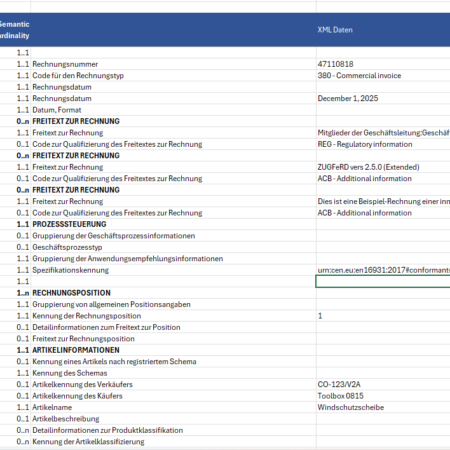
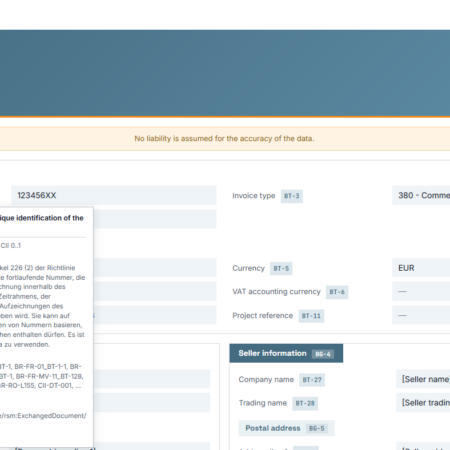
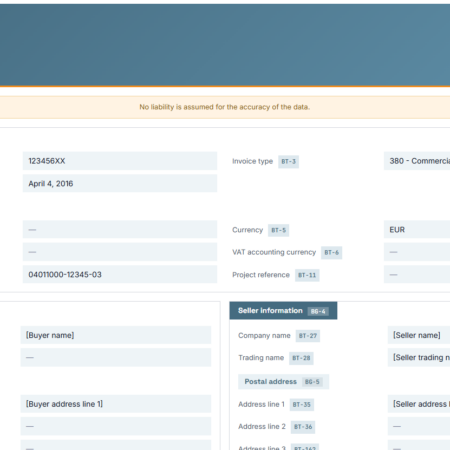
- Every finding at its field. Below the findings, a document view shows the elements of the invoice with their values and BT numbers. A click on a finding jumps to its place, and the line lights up briefly. With the eInvoice Viewer active, the invoice appears in the view “Invoice” with every finding as a card directly below its field; from viewer 2.38.0, “Position” at a finding opens the viewer’s tab “Invoice” at that field. What you get: you know exactly which field to correct.
- A large rule catalog included. The explanations come from a bundled catalog of 14 rule sets with a total of 8,604 rules and 311 EN 16931 fields, including EN 16931 in CII and UBL, XRechnung, Peppol BIS Billing 3, Factur-X EN16931, the French Flux 2 rules and the national adaptations for Portugal, Romania, Croatia, Belgium and Italy. Three more rule sets with 3,190 rules, for Factur-X EXTENDED and EXTENDED-CTC-FR, are explained with the Extended Profiles add-on. What you get: plain language for findings across Europe.
- Attachments named. A finding that concerns an attachment of the invoice names it, for example “Attachment: Aufmass.pdf”.
- Warnings stay warnings. Warnings in a Mustang report appear as warnings, and notes at the information level appear in blue, not like errors.
- Under your control. The daily upload limit can be set per role, with its own row for guests, and the report follows the design kit chosen for your eInvoice tools. Interface and explanations are available in German, English and French.
The explorer does not validate and contains no validator; it explains the result of the Mustang validator. It stores neither reports nor invoices.
What’s included
- The WordPress plugin with the shortcode .Mustang-Prüfbericht hierher ziehen oder klicken, um eine Datei zu wählenDer XML-Bericht, den der Mustangproject-Validator erzeugt hatRechnung hierher ziehen oder klicken, um eine Datei zu wählenDie CII- oder UBL-Rechnung, die der Bericht beurteilt hat. Ein Mustang-Bericht trägt sie nicht mit sich.
- The explorer app is a separate download.
- The rule and field catalogs, ready to use without any configuration.
- A manual.
Requirements
- Plugin: WordPress 6.0 or later, PHP 7.4 or later, and the free eInvoice Viewer for PEPPOL & EN16931 installed and active.
- App: a current browser with JavaScript enabled.
- The XML report of the Mustang validator and the CII or UBL invoice it checked. A Mustang report does not contain the invoice.
The explorer is an independent tool by invoicePress. It is not a product of the Mustangproject.
Manual and product page
Read the manual before you buy, or see everything at a glance on the product page.
Get the Validation Explorer for Mustang here in the shop and turn every Mustang report into clear next steps.
Rezensionen
Es gibt noch keine Rezensionen.